 +91 95752 60218

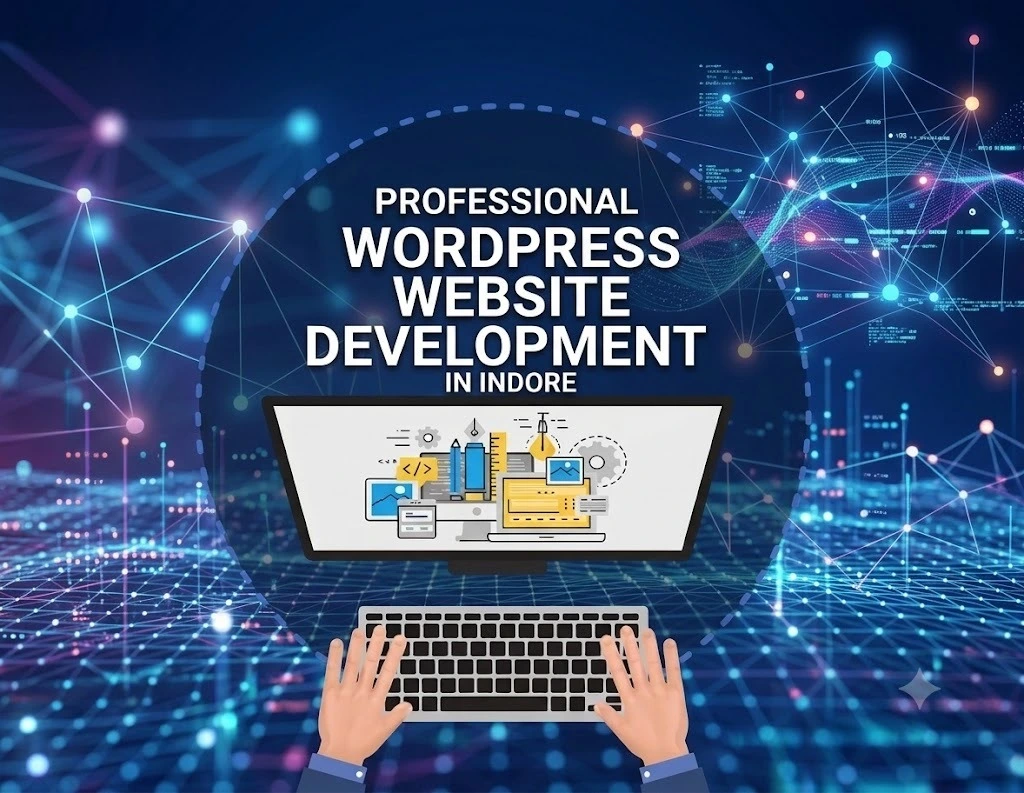
Most businesses already know a professional website helps attract customers, build credibility, bring in enquiries. Picking the right WordPress development partner is the hard part. Harder than picking WordPress itself, honestly that decision usually matters more than the platform. It comes down to development quality, performance, SEO readiness, support, and whether the company actually fits how you work. This guide covers what a WordPress website development company in Indore provides, how the development process actually unfolds, and what to check before you hire one.
What Is WordPress Website Development?
Designing. Building. Customizing. Testing. Launching. Maintaining. That’s the whole lifecycle, and WordPress website development covers all of it. Sometimes that’s a simple five-page business site. Sometimes it’s a fully customized ecommerce platform with integrations built specifically around one business.
The developer’s real job? Translating what you need into a working site structure. Say you run a professional services firm in Indore you probably need Home, About, Services, Industries, Blog, Contact, enquiry forms, WhatsApp integration, analytics, SEO ready pages. Not because every site needs all of that. Because that’s what this kind of business runs on.
WordPress still dominates the CMS space globally. As of August 25, 2026, it powered 40.7% of all websites and 58.9% of sites where the CMS is known (Source: W3Techs, 2026).
What Does a WordPress Development Company Do?
Installing a theme and dropping in text that’s not it. A professional WordPress development company does a lot more. Typical work includes:
- Website planning and information architecture
- Custom WordPress website development
- Theme selection and customization
- Responsive UI/UX implementation
- Plugin installation and configuration and sometimes writing custom ones when nothing off the shelf fits
- Third party API integrations
- Contact forms and lead generation features
- WooCommerce development
- Website migration and redesign
- Security and backup configuration
- Speed and performance optimization
- SEO ready technical implementation
- Testing, launch, and maintenance
Scale that down to a local restaurant and it looks completely different. No enterprise system needed. Just a clean menu, location details, reservation forms, Google Maps, mobile friendly pages, and local SEO done properly.
WordPress Development vs. Basic Website Setup
Both end up being “a WordPress site.” That doesn’t make them the same thing. Setup means taking an existing theme and nudging a few settings. Development means shaping the whole site around what the business actually needs functionality, performance, customization, the works.
Think about a startup that needs a custom pricing calculator, CRM integration, a lead-routing workflow, or a membership feature. None of that comes out of a theme settings panel. That’s development work. Full stop.
Why Is Professional WordPress Website Development Important for Businesses?
A good looking site can still fail. Loads slowly, breaks on mobile, makes it a chore to get in touch doesn’t matter how polished the design is at that point. Professional development ties design, usability, performance, security, and SEO together on one technical foundation, which is the part that actually holds a business up.
Mobile responsiveness matters more than people assume, because Google indexes and ranks sites off the mobile version. Google itself recommends responsive design for building mobile friendly websites (Source: Google Search Central, 2026).
Here’s the failure mode nobody notices until it costs them: enquiry button that vanishes or gets fiddly to tap on a phone. Desktop site can look incredible. Doesn’t matter. Leads slip through anyway.
Then there’s Core Web Vitals loading speed, responsiveness, visual stability. Google’s benchmarks for a good user experience: LCP under 2.5 seconds, INP below 200 milliseconds, CLS under 0.1 (Source: Google Search Central, 2025).
How WordPress Development Supports SEO
SEO ready development is really just giving search engines what they need to crawl, understand, and index a site without a fight. Logical URLs. Responsive layouts. Working metadata. Sensible internal linking. Decent performance. Sitemap compatibility. Page architecture that isn’t a tangled mess.
A company chasing the phrase “WordPress development company in Indore” needs its service page, headings, internal links, title tag, and supporting content all pointed the same direction toward what someone typing that phrase is actually trying to find.
And Google’s own guidance backs this up. It points to helpful, reliable, people first content, and language that matches how real searchers phrase things, as core to good SEO (Source: Google Search Central, 2026).
How WordPress Development Supports Security
You don’t tick this box once and walk away. WordPress itself recommends keeping the core software, themes, and plugins updated, and sticking to actively maintained components (Source: WordPress Developer Documentation, 2026).
A maintenance plan usually bundles updates, backups, security checks, malware monitoring, a recovery process. The point is simple: a business shouldn’t only hear from its developer after something’s already broken.
What Services Does a WordPress Website Development Company in Indore Provide?
Custom builds. Redesigns. Ecommerce. Integrations. Maintenance. Security. Performance work. A WordPress website development company in Indore typically covers all of it.
Custom WordPress Website Development
Custom development builds around what you actually need instead of squeezing your business into a template that almost fits. Worth it when branding, functionality, content structure, or integrations need more room than a template gives.
An education company might need course categories, enquiry forms, faculty profiles, downloadable resources, application workflows. None of that ships with a theme.
WordPress Website Design and Redesign
Redesign improves structure, look, usability, responsiveness, the technical foundation underneath it all. It doesn’t have to mean starting over. Depends on the existing code, the content, the traffic, and what the business is actually trying to do.
Take a five year old company site. It might keep its strongest SEO pages the ones already ranking while getting new navigation, a mobile layout that doesn’t fight the user, a visual refresh, and calls to action that actually convert instead of just sitting there.
WooCommerce Website Development
WooCommerce turns WordPress into a fully customizable ecommerce platform. It describes itself as an open source commerce platform for WordPress, and reports more than 4 million online stores built on it (Source: WooCommerce, 2026).
An Indore based retailer could run product catalogs, online payments, shipping, coupons, customer accounts, order management all inside the same WordPress setup they already know their way around.
W3Techs reported WooCommerce on 19.8% of WordPress sites as of August 2026. That’s how deep it runs in the ecosystem (Source: W3Techs, 2026).
Plugin, API, Migration, and Maintenance Services
Plugins. APIs. Migrations. Ongoing maintenance. That’s how developers extend a site past what it launched with. Integrations connect it to CRM systems, payment gateways, email platforms, booking tools, analytics, whatever business software the company already runs on.
Set it up right and a lead generation site pushes every form submission straight into the CRM. No one’s manually copying enquiries out of an inbox anymore.
What Is the WordPress Website Development Process?
Requirements. Design. Development. Testing. Launch. Then maintenance, on and on after that.
1. Requirements and Business Goals
Start by figuring out what the site actually needs to achieve, and for whom. Target audience, services, competitors, required pages, functionality, integrations, content, what “success” even means here.
A B2B company usually cares most about enquiry forms and downloadable resources. An ecommerce business? Product discovery and getting people through checkout without friction.
2. Sitemap, Structure, and UI/UX Design
The sitemap sets the page hierarchy before a single pixel gets designed. UI/UX design decides how people actually move through those pages once they’re built.
Home → Services → Individual Service → Contact tends to beat one crowded page trying to do everything at once.
3. WordPress Development and Integration
This is where the approved structure and design turn into real pages, templates, forms, integrations, content the actual site. Custom theme, established theme framework, page builders, custom code, or some mix, depending on what the project calls for.
As of August 2026, Elementor was running on 31.5% of WordPress sites. Gives you a sense of how big a role it plays in the ecosystem (Source: W3Techs, 2026).
4. Testing, SEO, and Performance Checks
Devices. Browsers. Forms. Links. Integrations. The journeys that actually matter to the business. Testing checks all of it, and SEO and performance checks belong right here too before launch, not bolted on afterward as an afterthought.
Test the contact form on desktop and mobile. Confirm the email actually shows up. Check page titles. Test redirects. Measure page speed. All before the site goes anywhere near live.
5. Launch and Maintenance
Launch moves the finished site into production. Maintenance keeps it secure, functional, current after that which is most of a site’s actual life. WordPress publishes its own maintenance and security guidance specifically for keeping sites healthy long-term (Source: WordPress.org, 2026).
How Should You Choose a WordPress Website Development Company in Indore?
Technical expertise. Portfolio quality. Communication. SEO understanding. Support. That’s what choosing a WordPress website development company in Indore actually comes down to not price. Price shouldn’t even be first on the list.
Check the Portfolio for Relevant Experience
A portfolio should show you the type and quality of work a company can actually deliver, not just what they claim. Look for projects close to your industry, your functionality needs, your audience, the level of customization you’re after.
Great at corporate websites? Doesn’t mean they’re the right fit for a complex WooCommerce store with custom checkout logic. Different skill set. Different problems entirely.
Evaluate Technical and SEO Capabilities
Responsive development, performance, security, integrations, SEO fundamentals, architecture that can actually scale that’s what technical capability needs to cover. Ask how they handle Core Web Vitals. How they pick plugins. How backups work. How redirects get handled. How they approach migrations.
Already getting Google traffic? Ask directly how a redesign protects your existing URLs, metadata, internal links, search visibility. This is exactly where redesigns quietly go sideways.
Assess Communication and Ongoing Support
Communication tells you more about project reliability than almost anything else. Who’s managing it? How do revisions get handled? How’s progress reported? What happens once the site goes live?
A monthly maintenance agreement should spell out updates, backups, security monitoring, troubleshooting, response times. Not leave any of it vague.
Evaluation Factor | What to Check | Why It Matters |
Portfolio | Similar websites and functionality | Shows practical experience |
Technical expertise | WordPress, themes, plugins, APIs | Determines development flexibility |
SEO knowledge | Structure, metadata, redirects, performance | Supports search visibility |
Mobile UX | Responsive layouts and testing | Improves smartphone experience |
Security | Updates, backups, monitoring | Reduces operational risk |
Communication | Process, timelines, revisions | Prevents project confusion |
Support | Maintenance and troubleshooting | Helps after launch |
Transparency | Scope, deliverables, ownership | Reduces unexpected issues |
What Types of Businesses Can Benefit From WordPress Development?
Flexible content management. Lead generation. Ecommerce. Publishing. Custom functionality. WordPress fits businesses and organizations chasing any of these which covers a lot of ground.
Local service businesses use it to explain what they do, generate enquiries, publish useful content, build local search visibility. A consultancy in Indore needs service pages, case studies, testimonials, enquiry forms, a blog that combination is what actually pulls it off.
Law firms, accounting firms, architecture studios, marketing agencies professional firms generally lean on structured content and clear service journeys to build authority. Dedicated service pages and educational resources do most of the heavy lifting here.
Startups and growing organizations need something that expands as content and features grow. Educational organizations, restaurants, healthcare businesses, portfolios, publishers, nonprofits they all run pretty different WordPress setups, shaped around what they actually do day to day.
Ecommerce businesses lean on WooCommerce when they want a store built right into the WordPress ecosystem they already know. Control over features, payments, data, hosting choices without getting locked into some separate platform they’d have to learn from scratch.
Which Tools and Features Are Commonly Used in WordPress Development?
Core platform plus themes, plugins, page builders, analytics, security tools, caching, SEO tools, forms, third-party integrations. That’s the usual mix in WordPress development.
Themes and page builders control the look and layout. Plugins bolt on specific functionality. The trick and it’s a simple one, people just skip it is picking these based on what the project needs, not installing everything that looks useful in a blog post somewhere.
Analytics and search tools measure how the site’s actually performing and how visible it is in search. Google Analytics shows traffic and user behavior. Search Console shows how the site behaves in search results.
Performance tools round it out finding opportunities to improve loading speed and page experience. Google recommends tools like PageSpeed Insights and Search Console for tracking these signals over time.
Common technology categories:
- WordPress core and child themes
- Elementor, Gutenberg, or other page-building approaches
- WooCommerce for ecommerce
- SEO plugins and XML sitemap tools
- Caching and image optimization
- Security and backup tools
- Contact and lead-generation forms
- Google Analytics and Search Console
- CRM and email integrations
- Payment gateways
- Maps, booking, and third-party APIs
Simple rule, worth repeating: use the minimum technology needed to deliver what the site actually requires. Reliably. Every extra plugin is extra risk sitting there.
What’s Next: How Do You Start a WordPress Website Project in Indore?
Define your goals. Write down requirements. Compare developers. Agree on deliverables. All of that comes before development even starts.
Start with a short project brief covering:
- Business goal: What should the website accomplish?
- Target audience: Who will use it?
- Required pages: Which services, products, or information need dedicated pages?
- Features: Forms, ecommerce, booking, membership, APIs, integrations any of that on the list?
- Brand assets: Logo, colors, images, brand guidelines already sitting somewhere?
- Content: Who’s writing the copy, product info, sourcing the images?
- SEO requirements: Existing rankings, URLs, or content that has to survive the project?
- Support: What maintenance and technical help do you actually need after launch?
Shortlist companies from there relevant portfolios, how they run their process, how they communicate, what support looks like once the site’s live. Skip the lowest quote. It’s tempting, but a cheap build has a way of getting expensive later, right around the time performance, security, redesign, or maintenance problems start showing up.
Then ask for a proposal that actually spells things out: scope, deliverables, technology approach, timeline, responsibilities, ownership, revisions, hosting assumptions, maintenance terms. Vague on any of that? Worth asking before you sign a thing.
Frequently Asked Questions
1. How much does WordPress website development cost in Indore?
Depends entirely on scope. A simple business site costs a lot less than a custom WooCommerce store with integrations and custom checkout logic. Ask for a proposal that breaks down deliverables, technology approach, and ongoing maintenance costs separately that’s the only way to actually compare quotes apples-to-apples.
2. How long does a WordPress website project usually take?
Also depends on scope, but the process itself requirements, sitemap and UI/UX, development, testing, launch doesn’t skip steps just because a business wants it faster. A simple site moves through that faster than an ecommerce build with custom integrations. Ask any company you’re evaluating for a realistic timeline tied to your specific requirements, not a generic estimate.
3. Is WordPress good for ecommerce, or should I use something else?
WooCommerce turns WordPress into a full ecommerce platform product catalogs, payments, shipping, coupons, customer accounts, order management, all of it. It’s used on 19.8% of WordPress sites as of August 2026 (Source: W3Techs, 2026), so it’s well tested at scale. Whether it’s the right call for your business specifically depends on your catalog size, checkout complexity, and what you need it to integrate with.
4. Do I need a custom-built site, or is a theme enough?
If your needs fit inside standard pages and standard functionality, a well configured theme setup can genuinely be enough no reason to overbuild. Custom development earns its cost when you need something a theme can’t do on its own: a pricing calculator, CRM integration, a membership system, a lead routing workflow.
5. What happens after my website launches?
Launch isn’t the finish line. Updates, backups, security checks, performance monitoring, and ongoing SEO work are what keep a site secure and useful over time WordPress itself publishes maintenance and security guidance specifically because this part gets neglected so often (Source: WordPress.org, 2026). Ask upfront what a maintenance plan actually covers and how fast they respond when something breaks.
6. Will a redesign hurt my existing Google rankings?
It can, if it’s handled carelessly. If you’re already getting search traffic, ask directly how a redesign protects your existing URLs, metadata, and internal links before any work starts. This is one of the most common places redesigns quietly go wrong old pages disappear or get moved without redirects, and rankings vanish with them.
7. How do I know if a WordPress developer actually understands SEO?
Ask specific questions, not general ones. How do they approach Core Web Vitals? How do they handle redirects during a migration? Do they think about page titles, internal linking, and content structure as part of development, or treat SEO as someone else’s job entirely? Their answers will tell you a lot faster than their portfolio will.
8. Should I choose the cheapest quote?
Not automatically. A cheap build has a habit of getting expensive later usually right when performance, security, or maintenance problems show up and nobody budgeted to fix them. Weigh price against portfolio, technical capability, communication, and what support looks like after launch.
Conclusion
WordPress expertise plus business strategy plus UX, SEO, performance, security, and support that doesn’t disappear after launch that’s what the right WordPress website development company in Indore actually looks like. WordPress being everywhere doesn’t guarantee a good website. Execution still does all the work.
What you need depends entirely on the business. A local service company wants something fast and lead generation focused. An ecommerce brand needs WooCommerce, payment integration, product management, UX built around actually converting visitors.
And the work doesn’t stop at launch not even close. Updates, backups, security checks, performance monitoring, content improvements, ongoing SEO work. That’s what keeps a site useful two years in, not just on the day it goes live.
Choose the partner who can tell you why a particular approach fits your business. Not just how they’d build it anyone can explain that part. If you’re ready to start comparing providers, get your requirements together first, then use the checklist above to weigh portfolios, technical ability, communication, and long term support.

[…] your WordPress website faster is a task. Your main goal should be to create pages that load quickly work reliably and are […]