+91 95752 60218

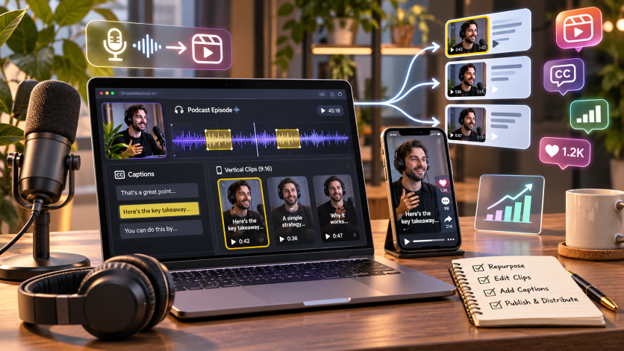
Podcasts are a great way to share useful information, expert opinions, and interesting conversations. However, not everyone has time to listen to a complete episode. Turning podcasts into short social media clips helps businesses share valuable moments with a wider audience.
From educational highlights to interview clips, podcast content can be shared across Instagram Reels, YouTube Shorts, TikTok, and LinkedIn.
AI tools simplify this process by finding interesting moments, removing pauses, improving sound, and adding captions.
This guide explains how to repurpose podcasts, explores three AI editing tools, and shares tips for creating engaging social media content.
Why Repurpose Podcasts for Social Media?
A single podcast episode can contain several useful stories, tips, and discussions. Repurposing these moments helps businesses reach audiences who prefer shorter content.
Some benefits include:
- More content opportunities: Create multiple clips from one episode.
- Wider audience reach: Share highlights across different platforms.
- Better accessibility: Captions help viewers follow conversations.
- Faster production: AI helps identify highlights and simplify editing.
- Podcast promotion: Short clips can encourage people to explore the full episode.
Podcast repurposing also supports a wider social media marketing strategy by helping businesses maintain a regular content schedule.
How to Turn Podcasts Into Social Media Content
1. Choose an Episode With Useful Content
Select a podcast featuring valuable advice, expert opinions, interesting stories, or practical discussions.
Look for moments that provide clear value to your audience.
2. Identify Interesting Highlights
Review the recording or use AI to find useful sections.
Choose memorable answers, surprising statements, short stories, or helpful tips that make sense without additional context.
3. Remove Unnecessary Sections
Trim filler words, repeated explanations, and long pauses.
Keep the speaker’s original meaning intact while improving the pace.
4. Improve Audio and Add Captions
Reduce background noise, balance voice levels, and add readable subtitles.
Include speaker names, topic headings, and relevant visuals where needed.
5. Resize for Social Media
Prepare vertical clips for Instagram Reels, TikTok, and YouTube Shorts.
Check that the speakers remain visible and captions fit within the frame.
6. Publish and Track Results
Share clips with clear descriptions and relevant calls to action.
Review watch time, comments, shares, and audience engagement to understand which topics work best.
3 AI Tools for Turning Podcasts Into Social Media Content
Different AI tools support podcast editing and content repurposing. Here are three useful options.
1. Invideo
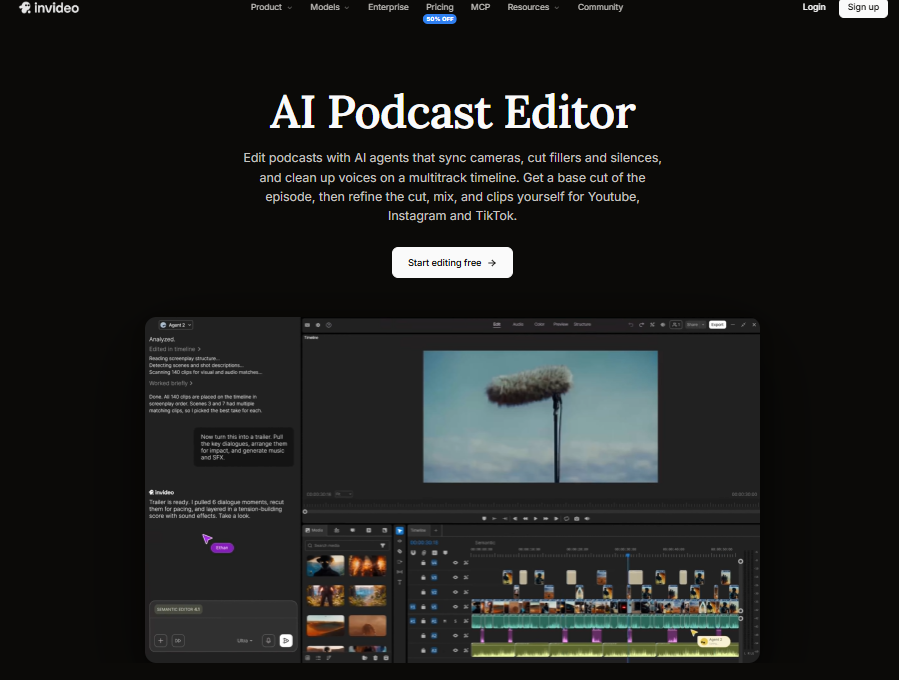
Invideo Editor is a browser-based video editing platform that combines a professional multitrack timeline with AI editing agents. It helps podcasters turn raw recordings into polished episodes and short social media clips.
With invideo’s podcast editor, creators can upload multiple camera recordings and separate microphone tracks. AI agents synchronize camera angles with the selected audio source and switch between speakers during conversations.
Users can describe their preferred edit or provide an episode outline. The agent can organize segments into an editable first cut, remove filler words, silences, and repeated lines, and follow instructions about which conversations should remain. An outline is optional, and creators can restore or adjust cuts on the timeline.
Invideo provides voice isolation, noise reduction, automatic voice leveling, music ducking, and loudness monitoring for cleaner sound.
For social media, AI agents can identify podcast highlights based on topics, clip lengths, and formats. These clips remain editable for YouTube Shorts, Instagram Reels, and TikTok.
The editor also supports customizable captions, speaker titles, topic cards, and automatic chapter markers. AI dubbing is available in more than 50 languages, with synchronized lip movements and local accents.
For detailed video editing, invideo offers camera color matching, color wheels, curves, LUTs, scopes, keyframe animation, and stock or AI-generated B-roll.
Additional features include AI script writing, storyboarding, custom creative agents, and multiplayer editing with live cursors. Through invideo MCP, users can connect compatible AI assistants, including ChatGPT, Claude, and Cursor, to request editing changes.
Teams can share review links for frame-specific feedback without requiring reviewers to open the editor.
Invideo also supports audio-only podcasts, with WAV, AAC, and Opus exports. Editable projects can move to Premiere Pro, Final Cut Pro, or DaVinci Resolve.
Manual editing is free, while AI agent tasks use credits. The editor works in a browser across computers, tablets, and phones.
Key features:
- AI rough cuts, multicamera synchronization, and speaker switching.
- Voice isolation, noise reduction, and automatic audio leveling.
- AI highlights, editable captions, chapters, and multilingual dubbing.
- Professional color grading, keyframes, and AI-generated B-roll.
- MCP connections, custom agents, and real-time collaboration.
- Free manual editing, audio exports, and professional project handoffs.
Best for: Video podcasters, businesses, and marketing teams seeking AI-assisted editing with detailed timeline controls.
2. Descript
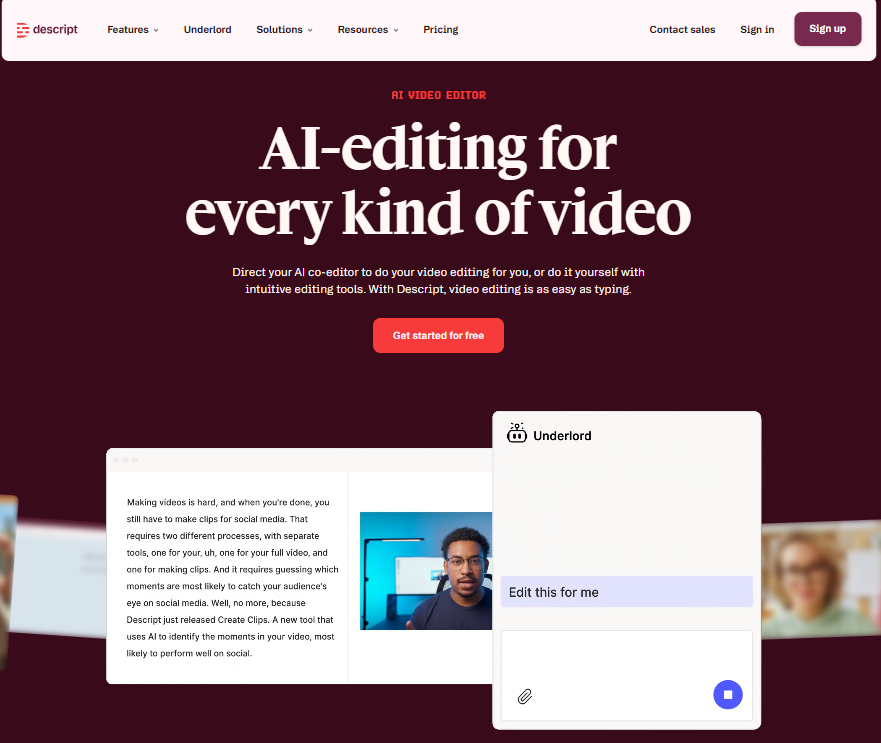
Descript is an AI-powered audio and video editing platform that allows creators to edit podcasts through written transcripts. It is useful for interviews, educational podcasts, and conversation-based recordings.
After uploading an episode, Descript automatically generates a transcript. Users can remove unwanted sentences by deleting the corresponding text.
Its AI assistant, Underlord, helps creators remove filler words, shorten pauses, and prepare edits. Studio Sound improves voice clarity by reducing unwanted noise.
For social media, Descript can turn long recordings into shorter clips. Creators can adjust captions, layouts, and supporting visuals before exporting.
The platform also supports audiograms, allowing audio-only podcasts to become visual posts with captions, backgrounds, and waveforms.
Additional features include multitrack editing, remote recording, screen recording, speaker labels, show notes, and chapter creation.
Teams can collaborate through shared projects and review comments.
These tools make Descript useful for creators who regularly work with spoken content and want a simple way to repurpose recordings.
Key features:
- Transcript-based podcast editing.
- AI filler-word removal and editing assistance.
- Studio Sound and multitrack audio editing.
- Short clip creation and automatic captions.
- Audiograms, speaker labels, and show notes.
- Remote recording and team collaboration.
Best for: Podcasters, interviewers, and content teams producing speech-focused recordings.
3. OpusClip
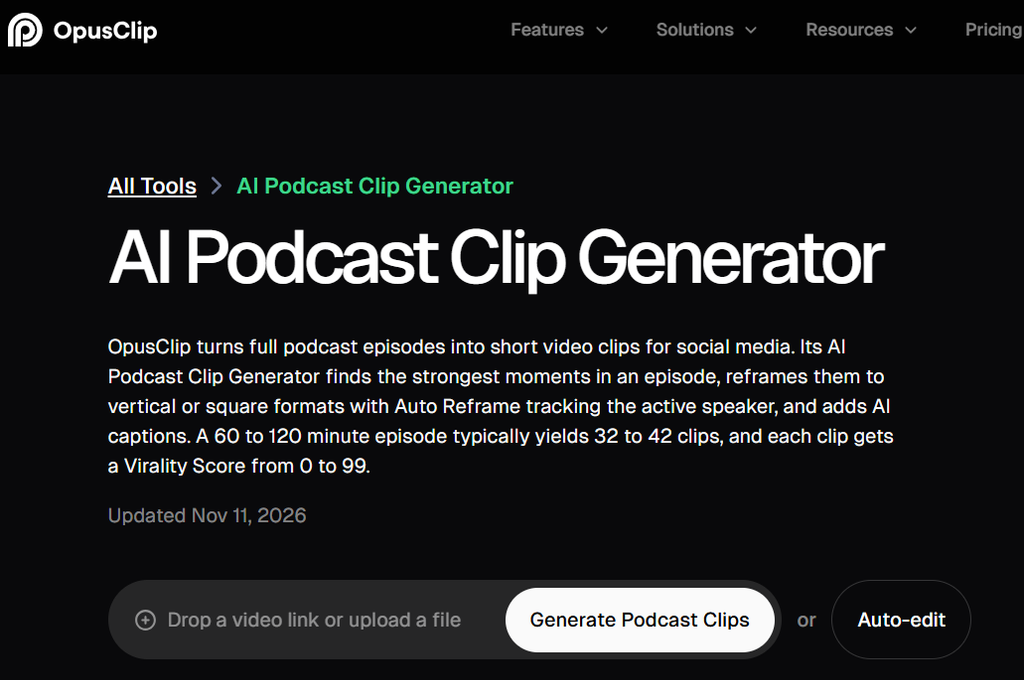
OpusClip is an AI-powered video editing platform that helps creators turn longer recordings into short social media videos. It is particularly useful for video podcasts, interviews, and educational discussions.
Users can upload recordings or provide supported video links. OpusClip analyzes the content and identifies moments that could work as standalone clips.
Its AI clipping tools help select useful sections, while automatic captions make conversations easier to follow.
OpusClip also provides AI reframing and active speaker detection to keep speakers visible when converting horizontal recordings into vertical videos.
Creators can adjust caption styles, customize layouts, and refine generated clips before publishing.
The platform includes AI B-roll, audio enhancement, and voiceover tools for improving short videos.
OpusClip also supports publishing workflows for sharing videos across social media platforms.
Its main focus is turning existing recordings into shorter promotional content, making it convenient for teams producing several clips from each podcast episode.
Key features:
- AI highlight selection from longer recordings.
- Short video creation and automatic captions.
- AI reframing and active speaker detection.
- Customizable captions and layouts.
- AI B-roll, audio enhancement, and voiceovers.
- Exporting and social media publishing workflows.
Best for: Video podcasters, businesses, and social media teams creating multiple clips from long recordings.
Tips for Creating Engaging Podcast Clips
Start With an Interesting Moment
Open with a useful insight, surprising statement, or relevant question that encourages viewers to continue watching.
Keep Each Clip Focused
Choose one clear idea per video. Avoid combining unrelated conversations into a single clip.
Use Readable Captions
Choose clear fonts and suitable text sizes. Review AI-generated subtitles for mistakes.
Maintain Consistent Branding
Use familiar colors, logos, and visual styles across your clips.
Test Different Formats
Experiment with interview highlights, educational clips, quick tips, and question-based videos.
Track their performance using relevant digital marketing metrics to understand which content interests your audience.
Common Podcast Repurposing Mistakes to Avoid
Even with AI tools, every podcast clip needs careful review.
- Removing important context: Keep the speaker’s meaning intact.
- Poor sound: Check voice clarity before publishing.
- Incorrect captions: Review subtitles for errors.
- Wrong framing: Keep speakers visible.
- Excessive effects: Avoid distracting animations.
- Ignoring results: Review performance to improve future clips.
Podcast content should also support a wider SEO and content marketing strategy by helping businesses answer common audience questions.
Conclusion
Turning podcasts into social media content helps businesses share useful conversations beyond the original recording.
AI tools simplify the process by identifying highlights, improving sound, adding captions, and preparing clips for different platforms.
Invideo, Descript, and OpusClip offer different approaches to podcast editing and repurposing. Choosing the right tool depends on your content goals, recording format, and editing needs.
With meaningful highlights and consistent quality, businesses can create engaging social media content from existing podcast episodes.
Frequently Asked Questions
1. Can AI turn long podcasts into short social media videos?
Yes. AI tools can identify useful moments, remove unwanted sections, add captions, and prepare short videos for social media.
2. Which AI tool is suitable for podcast editing?
Invideo, Descript, and OpusClip are useful options. Invideo supports AI-assisted multicamera editing, Descript offers transcript-based editing, and OpusClip focuses on short video creation.
3. Can audio-only podcasts become social media content?
Yes. Audio-only recordings can become audiograms using captions, animated waveforms, background images, and supporting graphics.
4. How many social media clips can I create from one podcast episode?
There is no fixed number. It depends on the episode length and the quality of the conversations. Focus on useful moments rather than creating unnecessary clips.