+91 95752 60218

The SEO Strategy Most Businesses Are Getting Wrong — Or Ignoring Completely
Let’s be honest for a second.
When most business owners or even marketing teams think about SEO, they picture two things: keywords and backlinks. Get the right keywords on the page, earn some backlinks from other websites — and rankings will follow. That belief isn’t wrong, exactly. Keywords and backlinks absolutely matter. But there’s a third pillar that sits right between those two, quietly doing some of the heaviest lifting in any well-structured SEO strategy — and most websites treat it as an afterthought.
That pillar is internal linking.
And whether you run an e-commerce store in Mumbai, a services business in Indore, or a content-heavy blog targeting national audiences, your internal linking structure — or the lack of one — is shaping your rankings right now, whether you realize it or not.
This guide is going to change how you think about internal links. Not in a theoretical way, but in a “here’s exactly what it does, why it matters, and how you should be doing it” way. By the end, you won’t see internal links as just a nice-to-have detail. You’ll see them as one of the most cost-free, high-leverage moves in your entire SEO toolkit.
What Is Internal Linking? (And What It Isn’t)
Before we get into strategy, let’s make sure we’re talking about the same thing.
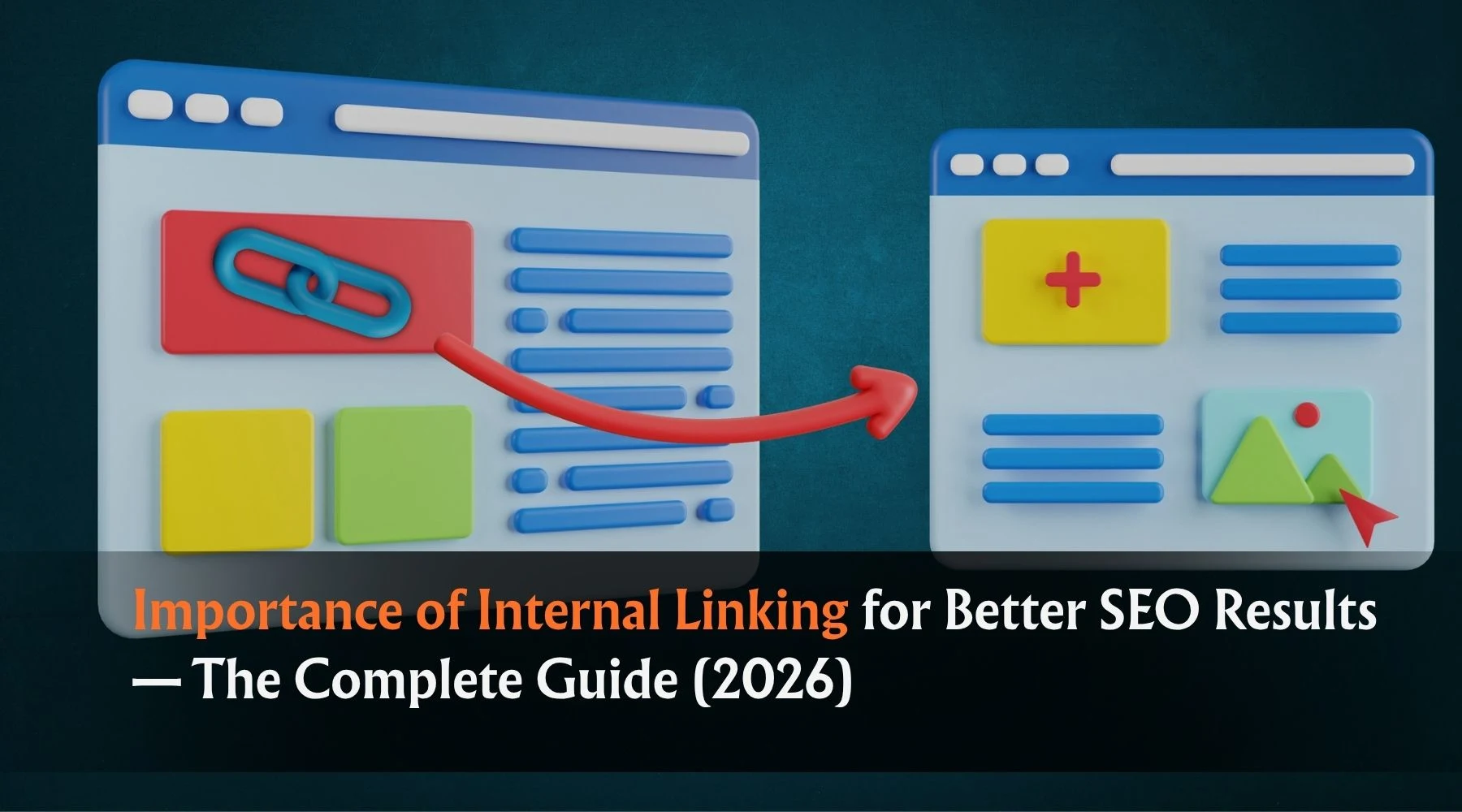
An internal link is a hyperlink from one page on your website to another page on the same website. That’s it. When your home page links to your services page, that’s an internal link. When a blog post links to a related article on your site, that’s an internal link. When a product page links to a category page, same thing.
What internal linking is not: it has nothing to do with links from other websites pointing to yours. Those are backlinks — also called external links or inbound links. Different strategy, different mechanism entirely.
Internal links are entirely within your control. You don’t need to email anyone, pitch a guest post, or negotiate with another website owner. You create them, you place them, and you shape them based on where you want users and search engines to go. That level of control is rare in SEO — and it’s one of the reasons internal linking is so valuable when used strategically.
How Google Actually Uses Internal Links (This Part Changes Everything)
To understand why internal linking matters so much, you need to understand two things about how Google works.
First: Googlebot needs to crawl your site to find and index your pages.
Google doesn’t magically know your website exists. It discovers pages through links. When Googlebot visits your site, it follows links — from page to page — to find new content and revisit existing content. Pages that have no internal links pointing to them are incredibly difficult for Google to discover. These are called “orphan pages,” and they’re far more common than most website owners realize.
Think about it this way: if you publish a great new blog post but don’t link to it from anywhere on your site, Google might never find it organically. Or it finds it slowly, weeks or months after publication. Every day it sits unindexed is a day it’s not ranking. Internal links fix this problem by giving Googlebot a clear path to follow through your site.
Second: Link equity (PageRank) flows through internal links.
Google assigns authority to pages based partly on how many links point to them — and that applies to internal links too, not just backlinks. When your high-authority home page links to a specific blog post, some of that authority flows to the blog post. When your most-visited page links to a service page, that service page becomes more credible in Google’s eyes.
This is called link equity distribution — and your internal link structure determines how authority moves through your site. A well-structured site pushes authority down to the pages that need it most. A poorly structured site lets authority pool on a few pages while others starve.
If you’ve ever wondered why some of your pages rank well while others seem invisible despite being well-written, the answer is often right here.
The 7 Real Benefits of a Strong Internal Linking Strategy
Understanding the mechanism is one thing. Understanding the full range of benefits it produces is another. Here’s what a smart internal linking structure actually does for your website.
1. Better Crawlability — Google Finds All Your Pages
As covered above, internal links are the roads Googlebot travels through your site. More roads to each page means faster discovery, more frequent re-crawling, and better indexing. This is foundational. Without good crawlability, nothing else in SEO works properly.
For websites with large numbers of pages — e-commerce stores, content-heavy blogs, service websites with many location or category pages — this benefit is enormous. A site with strong internal linking gets crawled more efficiently, which means new content gets indexed faster and updates to existing pages get picked up sooner.
2. Link Equity Distribution — Authority Goes Where You Need It
Every page on your site has a level of authority based on the internal and external links pointing to it. Through internal linking, you can deliberately direct authority toward the pages that need a ranking boost. This is particularly powerful for:
Service pages that aren’t attracting many organic backlinks but need to rank for competitive keywords. Newer pages that haven’t built authority yet. Conversion-focused pages like “Contact Us,” “Get a Quote,” or product pages that need to rank but don’t naturally attract links from external sites.
By linking from your high-authority blog posts, your home page, and your most-visited pages to these targets, you actively push ranking power where your business needs it.
3. Reduced Bounce Rate — People Stay Longer
Internal links give users somewhere to go next. When someone finishes reading a blog post about “how to improve your Google ranking” and there’s a relevant link to your article on “on-page SEO techniques,” they click. They stay on your site longer. They consume more of your content.
This matters to Google because dwell time and user engagement are signals. A website where people consistently click through to multiple pages is a website that’s providing value — and Google’s algorithm takes note of that pattern over time.
4. Topical Authority — Google Understands What You’re About
When you consistently link related content together — blog posts about the same subject cluster, service pages within the same category, product pages in the same niche — you’re telling Google something important: this website has deep, interconnected knowledge on these topics.
Google’s algorithm has become significantly more sophisticated at understanding topical relationships between pages. A cluster of internally-linked content around a core subject signals subject-matter expertise, which contributes to what SEO professionals call “topical authority.” Websites with strong topical authority tend to rank more consistently and across a broader range of related keywords — not just for individual articles in isolation.
5. Anchor Text Signals — Contextual Relevance for Rankings
The clickable text of your internal link (called anchor text) is a relevance signal. When you link to your on-page SEO services page using the anchor text “on-page SEO services,” you’re giving Google a clear signal about what that destination page is about.
This is one of the most direct ways to reinforce keyword relevance for specific pages — and it’s completely within your control. Unlike external backlinks, where you often have no say over how other websites anchor their links to you, every internal link’s anchor text is yours to decide.
The key is to use descriptive, varied anchor text that reflects the content of the destination page naturally, rather than forcing exact-match keywords in every link. Helpful and descriptive always outperforms mechanical and repetitive.
6. No Orphan Pages — Every Page Has a Chance to Rank
Orphan pages are pages on your website that have no internal links pointing to them. They’re isolated. They can still be indexed if Google discovers them through a sitemap, but they rarely rank well because they receive no link equity and Googlebot doesn’t find them naturally during crawls.
A systematic internal linking approach eliminates orphan pages by ensuring that every new page you publish is linked from at least one relevant existing page. This is one of the simplest, most overlooked improvements a website can make — and the ranking impact on previously-orphaned pages can be significant and fast.
7. Better User Navigation — People Find What They Need
Not everything about internal linking is about Google. It’s also about the person on your website. A well-linked site helps users navigate naturally, find related information without hunting for it, and move through your content in a way that makes sense to them.
For businesses in Indore and across India trying to serve local audiences, this is especially important. When someone lands on your blog from a Google search, you want them to discover your services page, your contact page, your case studies — not just read one article and leave. Internal links create those natural pathways from discovery to conversion.
Common Internal Linking Mistakes That Hurt Your SEO
Knowing what to do is only half the equation. Knowing what to avoid is equally important — because some common internal linking practices actually work against you.
Over-using exact-match anchor text. If every internal link to your SEO services page uses the anchor text “SEO services in Indore,” it looks unnatural to both users and Google. Vary your anchor text. Sometimes use “our SEO packages,” “learn more about our approach to search optimization,” or even just the page title. The diversity signals naturalness.
Linking only from the homepage and navigation. Many websites rely on the navigation menu to do all their internal linking work. This creates a shallow structure where every page is just one click from the home page, but pages don’t link to each other in any meaningful way. Navigation links matter, but contextual links within content — links placed naturally in the body of a blog post or a service page — carry significantly more SEO weight.
Creating too many links per page. If a single page has hundreds of internal links, Google has to spread its crawl budget and the page’s link equity across all of them. Not every link gets the same attention. Be selective and strategic — link when it genuinely adds value, not as a formulaic exercise of inserting links every hundred words.
Ignoring broken internal links. A broken internal link — one that points to a page that no longer exists (404 error) — wastes crawl budget, frustrates users, and destroys the link equity that should have flowed to that destination. Regular audits to identify and fix broken links are a basic but critical part of site maintenance.
Linking only to your newest content. New articles need links, yes — but so do older, high-performing pages that may have fallen in rankings over time. A strong internal linking strategy distributes links thoughtfully across your entire content library, refreshing authority for older pages that still have value.
Not linking back up to your pillar pages. If you write cluster content around a central topic, every cluster article should link back to the main pillar page on that topic. This creates a hub-and-spoke structure that concentrates topical authority on your most important, comprehensive page for that subject.
How to Build an Internal Linking Strategy That Actually Works
Theory is useful. A clear, actionable framework is better. Here’s how to approach internal linking as a deliberate strategy rather than an afterthought.
Step 1: Audit What You Already Have
Before building a new strategy, understand your current state. Use an SEO crawl tool — Screaming Frog, Ahrefs, Semrush, or even Google Search Console — to map your existing internal links. Identify:
Which pages have the most internal links pointing to them? Which pages have zero or very few internal links (orphan or near-orphan pages)? Where are your broken internal links? How deep is your site — how many clicks does it take to reach your most important pages from the home page?
This audit gives you a baseline and reveals your most urgent priorities.
Step 2: Define Your Most Important Pages
Every website has a hierarchy of importance. For a digital marketing agency in Indore, the most important pages might be the SEO services page, the Google Ads management page, the contact page, and the local SEO services page. For an e-commerce store, it might be key category pages and high-margin product pages. For a local restaurant, it might be the menu, the booking page, and the location-specific landing page.
Once you know which pages matter most to your business goals, you know which pages deserve the most internal links pointing to them.
Step 3: Build Topic Clusters
Group your content by topic. If you publish blog content, identify which articles belong together thematically. Then link them to each other and — crucially — link all of them to a central pillar page on that topic.
For example, a digital marketing blog might have a pillar page on “SEO Services” and cluster articles covering on-page SEO, off-page SEO, technical SEO, local SEO for Indore businesses, and keyword research. Each cluster article links to the pillar page. The pillar page links back to the clusters. The result is a tightly connected web of content that signals deep expertise on SEO to Google.
Step 4: Link Every New Page Immediately Upon Publishing
When you publish a new page — whether it’s a blog post, a new service page, or a location landing page — immediately ask: which existing pages on my site should link to this new page? Go to those pages and add a contextual link.
This simple habit eliminates orphan pages entirely and ensures every new piece of content begins building link equity from day one rather than sitting isolated until someone notices it.
Step 5: Update Old Content with Links to New Content
Periodically go back through your older blog posts and pages and add links to newer, relevant content. This has two benefits: it passes equity to your newer pages, and it keeps your older content current and useful to readers who land on it.
Set a reminder to review and update your top 10 traffic-driving pages every quarter. Add or refresh internal links based on what new content you’ve published. This is one of the most time-efficient SEO activities you can do — it takes minutes per page but has real ranking impact.
Step 6: Use “Related Articles” and “You Might Also Like” Sections Wisely
Many websites add automated related article sections at the bottom of blog posts. These can help, but they’re often generic and poorly targeted. A better approach: manually select which related articles to feature, based on topical relevance and which pages need the most link equity support. Contextual, intentional linking always outperforms automated, algorithmic linking.
Internal Linking for Local SEO — Why It Matters Especially for Indore Businesses
If your business serves customers in a specific city or region — say, you’re a digital marketing agency based in Indore, a law firm in Bhopal, or a clinic serving patients across Madhya Pradesh — internal linking plays an especially important role in your local SEO performance.
Here’s why: local SEO depends on Google understanding which pages of your site are relevant to which locations. If you have separate landing pages for different services or areas — “SEO Services in Indore,” “Google Ads for Businesses in Madhya Pradesh,” “Local SEO for Indore Startups” — those pages need to be properly linked to each other and to your home page.
Without internal links connecting these location pages to your main content, Google treats them as isolated, low-authority pages. With internal links — especially from your blog content, your home page, and your main service pages — these local landing pages gain authority and become far more competitive in local search results.
For businesses in Indore specifically, the competitive landscape for digital marketing, services, and retail is growing fast. More businesses are investing in online visibility. Internal linking is one of the quietest but most effective ways to build a structural SEO advantage that compounds over time — and it costs nothing beyond the time it takes to do it thoughtfully.
Tools That Help You Manage Internal Linking
You don’t need to track all of this manually. Several tools make internal linking analysis and implementation significantly easier.
Google Search Console shows you which pages Google has indexed, how often they’re crawled, and can alert you to pages with crawl errors. It’s free and gives you direct insight into how Google sees your site structure.
Screaming Frog SEO Spider crawls your website the way Googlebot does and gives you a complete map of your internal links — where they go, what anchor text they use, which pages are orphaned, and where broken links exist. The free version covers sites up to 500 URLs.
Ahrefs and Semrush offer more advanced internal linking analysis, including link equity distribution, anchor text audits, and suggestions for internal linking opportunities based on your existing content. Both are paid tools but offer trial access.
Yoast SEO (for WordPress users) includes a basic internal linking suggestion feature that recommends related articles while you write, making it easier to add contextual links without leaving your editor.
For most small and medium businesses, Google Search Console combined with Screaming Frog is more than enough to audit and improve your internal linking without a significant tool investment.
Internal Linking in 2026 — What Google’s Latest Updates Mean for You
Google’s approach to evaluating websites has become significantly more sophisticated over the past few years. The core message from Google’s helpful content updates, the E-E-A-T framework (Experience, Expertise, Authoritativeness, Trustworthiness), and the rising importance of AI-driven search results is consistent: Google rewards websites that are genuinely useful, well-organized, and easy for both humans and algorithms to navigate.
Internal linking directly supports all three of these goals. A well-linked site is easier for Googlebot to crawl — meaning your content gets indexed faster and more completely. A well-organized, topically-clustered site demonstrates expertise and authority — because it shows you have depth of knowledge across a subject area, not just a single page on a topic. And a site that guides users intuitively through related content is a better user experience, which contributes to trust signals.
In the era of AI-powered search, where Google’s algorithms are increasingly capable of understanding the semantic relationships between pages, having a clear internal link structure helps Google connect the dots between your content and understand what your website is genuinely authoritative about.
The technical fundamentals of internal linking haven’t changed dramatically, but their importance has increased as Google has gotten better at evaluating site structure as a quality signal.
Quick Internal Linking Checklist — Use This Before You Hit Publish
Every time you publish a new piece of content, run through this list:
Have I linked from this page to at least two or three related pages on my site? Have I gone back to relevant older pages and added a link to this new page? Is my anchor text descriptive, natural, and varied? Does every link on this page point to a live, working URL? Are my most important service or conversion pages linked from this post where relevant? Is this page linked from my most relevant pillar page or category page?
If yes to all six — publish with confidence. Your new content is already integrated into your site’s structure rather than floating in isolation.
Frequently Asked Questions About Internal Linking and SEO
Q1. How many internal links should a page have?
There’s no fixed rule, but Google’s general guidance is to keep the number reasonable and meaningful. For most blog posts and service pages, somewhere between 3 and 10 contextual internal links is a good range. Focus on quality and relevance over hitting a number. Every link should exist because it genuinely helps the reader or passes important authority — not because a checklist told you to add five links.
Q2. Does internal linking help with local SEO for my city-based business?
Absolutely. For businesses targeting customers in specific cities like Indore, Bhopal, or any other location, internal linking helps Google understand which pages relate to which locations and which services. Linking your blog content to your local service pages, and linking your location pages to each other, helps those pages rank more competitively in local search results.
Q3. Is it better to have more internal links or more backlinks?
Both matter, and they serve different functions. Backlinks bring external authority to your site. Internal links distribute that authority across your site and help Google understand your content structure. In an ideal SEO strategy, you’re building both simultaneously. But since internal linking is free, immediate, and entirely within your control, it’s often the higher-ROI starting point — especially for newer or smaller websites that are still building their backlink profile.
Q4. What is a pillar page and why does it matter for internal linking?
A pillar page is a comprehensive, authoritative page on a broad topic — for example, “Complete Guide to SEO for Small Businesses.” Cluster pages are more specific articles on related subtopics that link back to the pillar. This structure tells Google that the pillar page is your most authoritative resource on that subject, which helps it rank for broad, competitive keywords while the cluster pages rank for more specific, long-tail queries.
Q5. How often should I audit my internal links?
For most small to medium websites, a thorough internal link audit every 3 to 6 months is sufficient. Check for broken links, identify new orphan pages, and look for opportunities to link newer content from older, high-traffic pages. Larger sites with frequent content publishing should audit more regularly — monthly is reasonable. Google Search Console and Screaming Frog make this process relatively quick once you’ve done it once.