+91 95752 60218

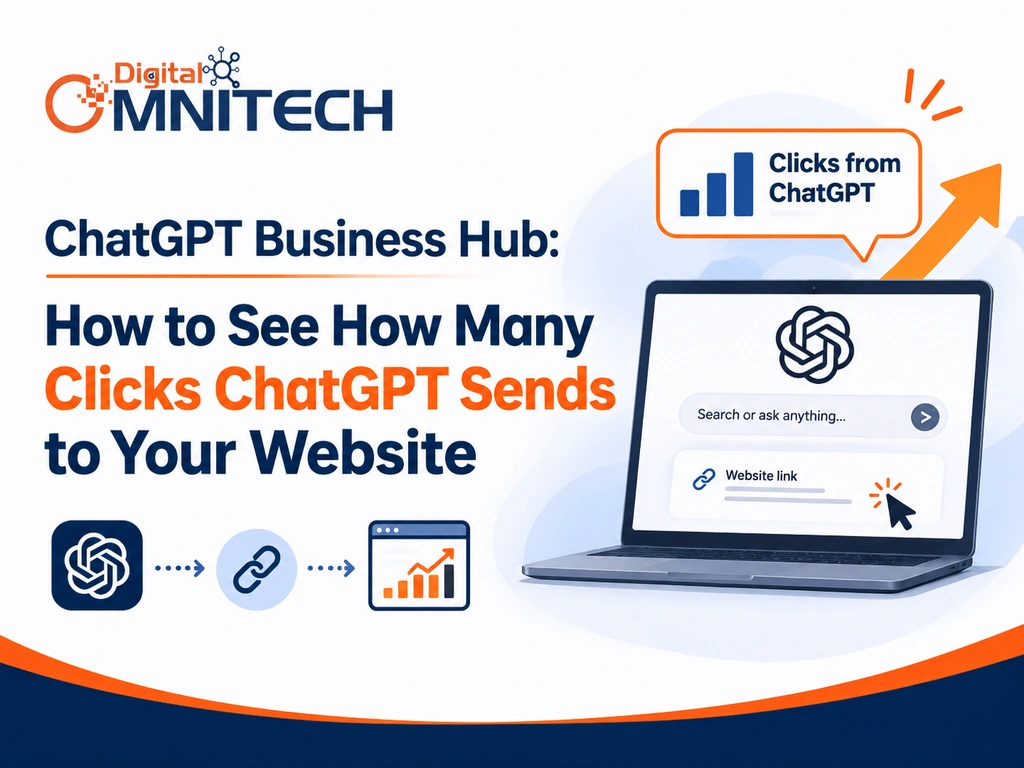
Probably you have already been tracking website traffic from Google, monitoring keyword rankings and checking conversions in Google Analytics 4. But do you know how many people discover your business through ChatGPT and visit your website?
ChatGPT Business Hub gives businesses insights into AI-driven discovery. In this guide you will learn how to access Business Hub, check website clicks and track ChatGPT traffic using GA4.
Key Takeaways
- ChatGPT Business Hub allows businesses to manage their profiles and access aggregated visibility insights.
- Business mentions show when ChatGPT references a business website or displays a local business result.
- Website clicks measure how often users click links leading to a business website.
- Google Analytics 4 helps track identifiable ChatGPT visits, landing pages, engagement, and conversions.
- AI citations and referral traffic measure different aspects of website visibility.
- Semrush and Google Search Console complement Business Hub by providing additional SEO insights.
What Is ChatGPT Business Hub?
ChatGPT Business Hub is a platform where businesses can claim their profiles, manage their information and get insights about how they’re mentioned, how many people click on their websites and what topics are leading to their discovery in ChatGPT.
This platform was introduced by OpenAI in November 2026. It helps businesses see how they show up when people search for products and services in ChatGPT. Companies can update details like their website and business information.
For example, if someone looks for a marketing agency, ChatGPT might suggest related business websites. Business Hub gives verified businesses a view of this kind of activity.
It is different from a ChatGPT account. Business Hub offers tools to manage business profiles and provides insights that are focused on business performance and visibility.
Why Does ChatGPT Business Hub Matter for Businesses?
ChatGPT Business Hub is important because customers use AI-powered platforms more and more to research products, compare services and discover businesses. OpenAI reported that ChatGPT serves 1.2 billion people each week in the November 2026 announcement.
This makes AI-driven discovery an important area for businesses to watch. For example, a potential customer might ask ChatGPT to recommend SEO agencies in Indore. If your website appears in an answer, that interaction can create an opportunity for a website visit. However, traditional Google Analytics reports alone do not explain every part of AI visibility. Businesses should monitor:
- How often the website receives mentions.
- The number of visitors arriving from ChatGPT through referral links.
- Which topics generate business visibility.
- Which landing pages attract AI visitors.
For an understanding, explore our guide to
how to improve Google search visibility.
What Metrics Can You Track in ChatGPT Business Hub?
ChatGPT Business Hub provides aggregated business insights covering mentions, website clicks, and discovery topics over the available 28-day reporting period.
Here are the main metrics to understand:
1. Mentions: Shows how often ChatGPT references an online business’s website or displays a local business result.
2. Website clicks: Shows how often users click through to the business website.
3. Discovery topics: Highlights common themes in ChatGPT answers where your business website appears.
4. Reporting period: Provides aggregated insights covering the past 28 days.
5. Privacy: Businesses cannot access individual customer conversations or prompts.
One important point: A blank metric does not necessarily mean zero activity. Reporting thresholds, data collection, and availability can affect displayed results.
How Do You Claim Your Business on ChatGPT Business Hub?
You can claim your business via Business Hub by logging in, finding your business in the directory and then completing the required verification.
Follow these steps:
- Sign in to your ChatGPT account.
- Access Business Hub through ChatGPT’s web platform.
- Search for your business name.
- Select the correct business listing.
- Complete the required business ownership / representative verification.
- Complete Persona identity verification.
Once approved you can manage your business information and access the insights that are available.
Once you’ve verified you can update the relevant business details and product information.
Remember that claiming your business doesn’t in any way guarantee that you’ll get higher ChatGPT rankings or recommendations. It’s simply a way of managing your business and giving you a means of accessing the insights that are available.
How Can You See How Many Clicks ChatGPT Sends to Your Website?
You can check website clicks in the Insights section of your verified ChatGPT Business Hub profile.
Follow this process:
- Open ChatGPT Business Hub.
- Select your verified business profile.
- Navigate to Insights.
- Find the website clicks metric.
- Review mentions and discovery topics alongside clicks.
- Examine the available 28-day reporting period.
For example, if your business receives more mentions but website clicks remain unchanged, review whether your website information is accurate and whether your business listing provides useful information.
Remember that Business Hub clicks are not the same as website sessions recorded in GA4.
How Do You Track ChatGPT Referral Traffic in GA4?
Google Analytics 4 helps identify recorded website visits originating from ChatGPT by using traffic source dimensions and acquisition reports.
Follow these steps:
Step 1: Open Google Analytics 4
Sign in to your GA4 account and select the correct website property.
Step 2: Open Traffic Acquisition
Navigate to:
Reports → Acquisition → Traffic acquisition
This report helps you understand where your website visitors come from.
Step 3: Change the Traffic Source Dimension
Select the report’s primary dimension and choose:
Session source / medium
This helps identify the source and medium associated with website sessions.
Step 4: Search for ChatGPT Traffic
Look for sources such as:
- chatgpt.com
- chat.openai.com (older references)
Also check the AI Assistant default channel in GA4. Google introduced this channel in May 2026 to identify traffic from recognised AI assistants.
Step 5: Review Website Performance
Check the following metrics:
- Sessions
- Engaged sessions
- Engagement rate
- Key events
- Landing pages
For example, if your SEO services page receives 35 sessions from ChatGPT, you can investigate whether those visitors engage with the page or submit an enquiry.
Step 6: Compare Different Date Ranges
Compare weekly or monthly traffic to identify changes in AI-driven website visits.
For additional accuracy, remember that some visits may appear as Direct or other sources when referral information is unavailable.
How Do ChatGPT Business Hub Clicks Differ From GA4 Sessions?
ChatGPT Business Hub clicks and GA4 sessions measure different activities. Business Hub reports clicks from ChatGPT, while GA4 measures website visits recorded through its analytics tracking.
| Measurement | Business Hub | GA4 |
| Website clicks | Yes | Different metric |
| Website sessions | No | Yes |
| Business mentions | Yes | No |
| Discovery topics | Yes | No |
| Landing pages | Not a replacement for page analytics | Yes |
| Engagement | Limited insights | Yes |
| Conversions | No replacement for conversion analytics | Yes, when configured |
Why might the numbers differ?
- A user may click a link without a successfully recorded GA4 session.
- Consent settings may prevent analytics tracking.
- Analytics scripts may fail to load.
- Referral information may be unavailable.
- Reporting periods and measurement definitions may differ.
Therefore, use both platforms together rather than expecting identical numbers.
Which Tools Help Track ChatGPT Website Traffic and AI Visibility?
Different analytics and SEO tools help measure different parts of your AI search performance.
| Tool | Primary Purpose |
| ChatGPT Business Hub | Mentions, clicks, discovery topics |
| Google Analytics 4 | Sessions, engagement, conversions |
| Google Search Console | Google organic impressions and clicks |
| Semrush | Keyword research, competitor analysis, AI visibility research |
| Server logs | Crawler and server request activity |
For example, Semrush can help identify content gaps and competitor opportunities, while GA4 shows whether identifiable AI visitors actually reach your website.
For deeper website improvements, explore our technical SEO services.
How Can You Get More Website Traffic From ChatGPT?
Improving website visibility in ChatGPT means creating content, keeping business information accurate and making website technically accessible.
Start with these actions:
- Publish original, helpful, question-focused content.
- Answer customer questions directly under headings.
- Improve website speed and technical SEO.
- Keep business information consistent across platforms.
- Build internal links between related pages.
- Use titles and clear headings.
- Support claims with reliable sources.
- Update information regularly.
- Build authority around main services.
For example, a digital marketing agency can publish guides about local SEO, Google Ads, website optimization and keyword research.
These practices improve content discoverability. Cannot guarantee ChatGPT citations or recommendations.
What’s Next? How to Build an AI Referral Traffic Tracking Strategy
Record mentions of Business Hub and clicks on the website.
- Check how much traffic comes from ChatGPT in GA4.
- Identify which landing pages bring in AI visitors.
- Review how people engage and the key events that happen.
- Compare the traffic with the reporting period.
- Monitor key ChatGPT citations and the topics that are discovered.
- Find gaps in the content and update the pages that matter.
- Compare traffic that comes from AI referrals with traffic that comes from Google searches.
By looking at these numbers every month, you will see which AI discovery opportunities need focus.
Conclusion: Start Measuring Your Website’s Visibility Beyond Google
ChatGPT Business Hub gives businesses a way to see how they are being found in AI-powered discovery.. Just counting mentions does not show how much website traffic or real business value those mentions actually bring in.
Use Business Hub to keep track of mentions and clicks. Then use GA4 to measure recorded sessions, how engaged visitors are and whether they complete actions like purchases or sign-ups.
Start tracking your AI referral traffic today. Knowing where your visitors are coming from can help you make choices about your content and SEO strategy.
If you need help making your website easier to find, explore more.
SEO services from Digital OmniTech or contact our team to discuss your search visibility goals.
Frequently Asked Questions
1. What is ChatGPT Business Hub?
ChatGPT Business Hub is a platform that allows businesses to manage their business information and view insights about mentions, website clicks, and discovery topics in ChatGPT.
2. How can I check how many clicks ChatGPT sends to my website?
Sign in to ChatGPT Business Hub, open your verified business profile, navigate to the Insights section, and review the website clicks metric.
3. How do I track ChatGPT traffic in Google Analytics 4?
Open GA4 and navigate to Reports → Acquisition → Traffic acquisition. Select Session source / medium and search for chatgpt.com or older references such as chat.openai.com.
4. Why are ChatGPT Business Hub clicks different from GA4 sessions?
Business Hub measures website link clicks, while GA4 measures website sessions recorded through analytics tracking. Consent settings, tracking issues, and missing referral information can cause differences.
5. How can I improve my website’s visibility in ChatGPT?
Publish helpful and original content, answer customer questions clearly, improve technical SEO, maintain accurate business information, and build topical authority around your services. These practices can improve discoverability but cannot guarantee ChatGPT recommendations.