+91 95752 60218

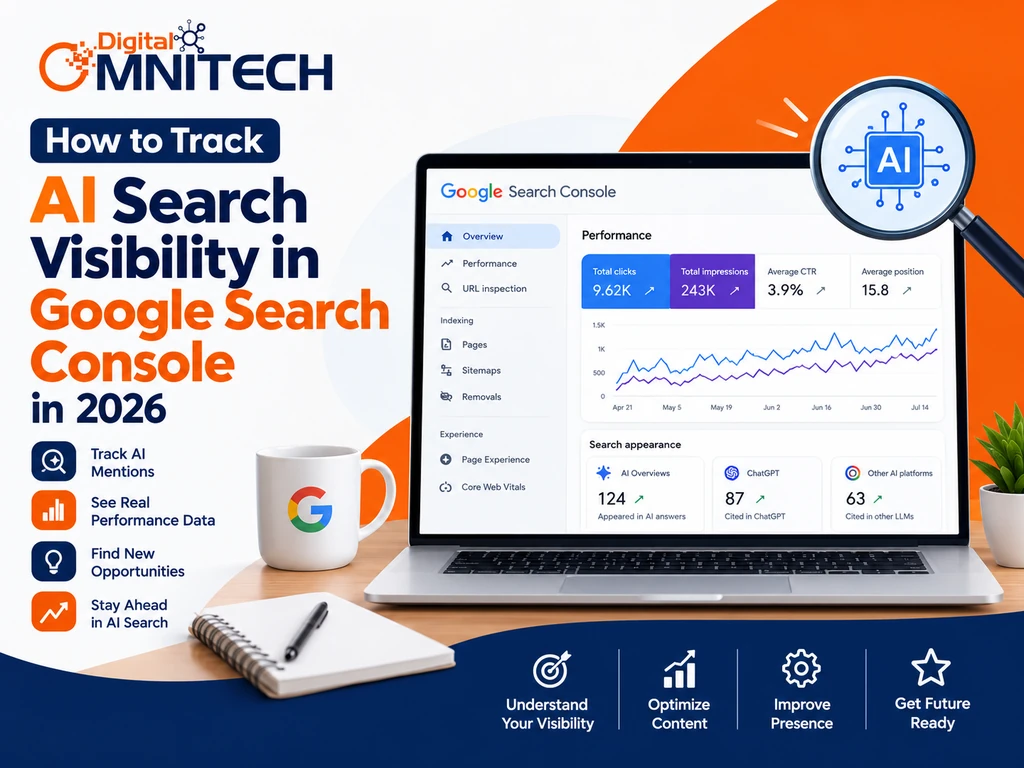
You’ve probably already used Google Search Console to monitor clicks, impressions, and organic rankings. However, traditional SEO metrics alone cannot explain how your website appears in AI-generated answers. This guide explains how to track AI search visibility in Google Search Console, measure AI-driven traffic, and monitor brand mentions across other AI platforms.
Key Takeaways
- AI search visibility measures how a website or brand appears in AI-generated answers, mentions, and citations.
- Google Search Console provides dedicated Generative AI performance reports for supported Google Search and Discover experiences.
- Google Analytics 4 (GA4) helps measure identifiable AI referral traffic, engagement, and conversions.
- ChatGPT, Perplexity, and Grok require additional monitoring methods to track observed mentions and citations.
- Monthly reporting helps identify visibility changes, valuable landing pages, and content improvement opportunities.
- Third-party tools can estimate AI visibility, but their metrics may differ from verified platform data.
What Is AI Search Visibility?
AI search visibility is how much a website, brand or webpage shows up in AI-powered search results. This happens through mentions, links and citations. For instance a page might show up in a Google AI Overview. It could also get cited in a Perplexity answer.. It might be mentioned in a ChatGPT response.
These are kinds of outcomes. Impressions mean the content appeared in search results reported by a platform. Clicks mean people actually visited the page from those results. Mentions mean the brand was named or referenced. Citations happen when an AI response includes a link, to the source. Referral sessions track visits that come from sources that can be identified.
Why Is AI Search Visibility Important for SEO in 2026?
AI search visibility matters because people can find information and brands through generated answers without following search-result links. For example a user may see a business mentioned in an AI response. Never visit its website.
Tracking these appearances helps SEO professionals spot pages gaining AI search visibility investigate traffic changes and uncover content gaps. It also works alongside Google search visibility optimization than replacing traditional organic search reporting.
How Do You Track AI Search Visibility in Google Search Console?
Google Search Console helps website owners measure reported performance in supported Google AI search experiences through the dedicated Generative AI performance reports available to eligible properties.
1. Find the Generative AI Performance Report
First, open your verified website property in Google Search Console. Look for the Generative AI performance report (Search) and review the available data. Google announced dedicated generative AI reporting in June 2026 and confirmed a worldwide rollout on August 31, 2026, according to the supplied reporting brief.
If the report is unavailable, check whether your property is eligible and whether reporting data is available. Do not assume that missing data means your website has no AI visibility.
2. Review Impressions and Page-Level Performance
Next look at the impressions that have been reported the page URLs, the countries, the devices and any performance trends that are available. Find the pages that are getting impressions and check the same time periods to see if their visibility is going up or down.
For example if an article about education is getting impressions, from AI searches this month check if the topic it covers how it performs in searches or how visible it is has changed. The report doesn’t show every answer or prompt that was created by AI.
3. Check Google Discover Separately
Additionally, use the Generative AI performance report (Discover) when it is available for your property. Keep Discover and Search results separate in your reporting because they represent different discovery experiences.
Export the available data and save it with the reporting date. This creates a consistent baseline for monthly comparisons.
How Do You Track Google AI Overviews and AI Mode?
Google’s Generative AI performance reports can help track website visibility across supported Google Search experiences, including AI Overviews and AI Mode. Compare these findings with organic search performance to see how things change across your website.
For example a key service page might get AI impressions while its usual organic clicks stay the same. Take note of this check the pages search performance and see if more content changes make sense. Don’t think that total impressions are how many times the page showed up for every search query.
For information look at your SEO strategy, for B2B businesses and find out which topics help your main service pages.
How Can You Monitor AI Search Traffic Using Google Analytics 4?
Google Analytics 4 tracks what happens on a website, including sessions that come from sources how people engage and the conversions that happen from AI platforms. This is different from Search Console, which focuses on what happens before people reach your website.
Open Google Analytics 4. Open Reports → Acquisition → Traffic Acquisition then review the session source or source/medium data to identify where your website traffic originates.. Look for referrals that come from platforms like ChatGPT or Perplexity.
Then look at the landing pages and conversions that are linked to these sources. Sometimes the credit for a referral might not be fully given, so not every visit that comes from an AI tool will show up under the AI platform. Make sure not to mix up Search Console impressions, with GA4 sessions.
How Do You Track AI Mentions and Citations in ChatGPT, Perplexity, and Grok?
Tracking AI visibility beyond Google needs a prompt‑testing process. Google Search Console does not provide a dedicated dashboard to track visibility across all third-party AI platforms.
First I create a fixed list of questions that matter to my industry, products, services and educational topics. Then I test these prompts in ChatGPT, Perplexity and Grok regularly. I record the platform, date, exact prompt any brand mention, the cited URL and any competing sources that appear.
For instance an SEO agency could test the question “How can a small business improve search visibility?”Check whether the agency’s website appears in AI-generated responses or is listed among the referenced sources.
These manual reviews provide useful insights but cannot measure overall visibility across all AI platforms.Results can change with location, context, model and time. If my list of prompts grows large I can use third‑party tools to automate monitoring. However I should keep those tool estimates separate, from the verified platform metrics.
Which Metrics and Tools Help Track AI Search Visibility?
AI search visibility reporting combines verified platform data with clearly labelled observations and estimates. Use the following framework to avoid mixing metrics that measure different outcomes.
| Metric or tool | What it measures |
| Google Search Console AI reports | Reported visibility in supported Google AI experiences |
| Google Analytics 4 | Identifiable referral sessions, engagement, and conversions |
| AI prompt tracking sheet | Observed brand mentions and cited URLs |
| Third-party AI visibility tools | Estimated visibility, prompt monitoring, and competitor comparisons |
To keep your reporting reliable, use keyword research for SEO to develop relevant prompts and track impressions, cited pages, observed brand mentions, AI referral sessions, and conversions separately. Label each metric by its source and avoid combining everything into a single score without explaining the calculation.
How Do You Create a Monthly AI Search Visibility Report?
A monthly AI search visibility report summarizes performance across supported Google reports, identifiable referral traffic, and repeatable external AI checks.
Include the reporting period, the platform, the URL or the prompt, the metric, the result, from the period the current result and the next action
For instance, pages receiving search impressions may require further investigation, while pages attracting relevant traffic from AI platforms should be evaluated more closely to understand their conversion performance.
Use a spreadsheet with these columns:
- Reporting month and platform
- Page URL or exact AI prompt
- Impressions, sessions, mentions, or citations
- Previous-period comparison
- Observation and recommended action
How Can You Improve AI Search Visibility After Tracking Performance?
Improving how AI finds your content begins by fixing content and technical issues that can be measured of trying to follow unproven ways to rank higher. Review high-traffic pages, identify relevant topics missing from AI-generated responses, and analyze pages that attract valuable visitors through external websites..
Check if the facts are correct if the answers are clear if the topics are covered well if the internal links work, if the site can be crawled and if it is indexed. Ensure that on-page optimization and technical SEO are properly implemented wherever necessary. Then do the checks again in the next time period to see what has improved.
A Practical 30-Day Measurement Plan
- Week 1: Review Google Search Console reports and export the available baseline data.
- Week 2: Configure GA4 acquisition reporting and identify relevant landing pages.
- Week 3: Test a fixed set of prompts across ChatGPT, Perplexity, and Grok.
- Week 4: Compare findings, prioritize improvements, and document next month’s actions.
Conclusion
Tracking AI search visibility, in 2026 needs a mix of Google Search Console, Google Analytics 4 repeatable AI checks and carefully labelled third‑party estimates. Each tool looks at a part of the discovery journey.
Begin with data your website can confirm external AI observations consistently and review meaningful changes each month. This routine lets you make SEO decisions and it reminds you that impressions, mentions, citations and traffic are not interchangeable.
Frequently Asked Questions (FAQs)
1. How can Google Search Console be used to monitor visibility in AI-powered search results?
You can track AI search visibility by opening your verified website property in Google Search Console and reviewing the Generative AI performance report for supported Google Search experiences. Analyze available impressions, pages, and performance trends to identify changes in visibility.
2. Does Google Search Console track ChatGPT and Perplexity visibility?
No. Google Search Console does not provide a comprehensive report for visibility across external AI platforms such as ChatGPT, Perplexity, and Grok. You can monitor these platforms using repeatable prompt checks, citation tracking, and suitable third-party tools.
3. What does the Generative AI performance report in Google Search Console help you understand?
The Generative AI performance report provides dedicated visibility data for supported generative AI experiences in Google Search. A separate report covers applicable generative AI visibility in Google Discover, subject to property eligibility and data availability.
4. How can Google Analytics 4 track and evaluate website traffic referred by AI search engines?
Open Google Analytics 4 and navigate to Reports → Acquisition → Traffic acquisition. Review identifiable referral sources from AI platforms, then examine landing pages, engagement, and conversions. Certain visits originating from AI tools may appear without a clearly identifiable referral source.
5. What is the difference between AI search impressions and AI referral traffic?
AI search impressions measure reported visibility within a supported search experience, while AI referral traffic measures website visits arriving from identifiable external sources. A webpage can receive AI visibility without generating clicks or referral sessions.